1. The Dawn of the Ultra-Realistic AI Era
If you have spent any time navigating the endless feeds of modern social media, you have undoubtedly witnessed a breathtaking visual revolution. Interspersed among everyday content are stunning, hyper-realistic portraits and short-form videos of beautiful subjects placed in magical, surreal environments. One of the most captivating variations of this aesthetic is the "Rose Garden Girl"—a visual motif featuring lush floral arrangements, flowing pastel dresses, and meticulously calculated lighting.
This is not solely the work of high-end fashion photographers. It is the result of structured, highly optimized text frameworks. In the rapidly evolving landscape of generative artificial intelligence, the ability to conjure breathtaking imagery relies heavily on the quality of your instructions. A generic phrase will often yield generic results, but a properly engineered prompt helps bridge the gap between imagination and execution.
As a digital creator analyzing algorithmic trends, I have observed that successful imagery relies on emotional anchors. The blooming rose garden aesthetic naturally incorporates vibrant colors and soft natural light, which creates an aspirational vibe that resonates with viewers. This comprehensive guide will dissect the exact mechanics required to achieve these photorealistic elements, providing you with the knowledge to create standout content for your digital portfolio.
2. Original Analysis & Best Practices
Why This Aesthetic Trend Gained Traction
The floral garden aesthetic performs exceptionally well because it naturally incorporates a warm, flattering color palette. When you instruct an AI model to render "golden sunset light" cascading through "colorful blossoms," it forces the engine to calculate complex light physics. This interplay of shadows and highlights creates a level of depth that immediately catches the viewer's eye, making it a highly effective Instagram viral prompt.
Common Mistakes to Avoid
A frequent error among beginners is overloading their text with contradictory lighting terms (e.g., asking for both "neon studio lights" and "natural golden hour"). Additionally, failing to specify camera focal lengths can result in awkward, distorted proportions. Always define your camera movement and lens style clearly.
Best Settings for Gemini
When utilizing a viral prompt gemini workflow, focus on conversational clarity. Gemini excels when you describe the mood and the subject's emotional state in plain English. For instance, explaining that the subject "smiles confidently while making eye contact" allows Gemini to accurately position the facial features without confusing the environmental variables.
Best Settings for Midjourney
For Midjourney v6, structural parameters are key. Append --ar 9:16 for vertical social media delivery. Use --style raw to reduce the default AI gloss and increase photorealism, and explicitly set --v 6.0 to ensure the latest, most advanced texturing engine is active during generation.
Negative Prompt Tips
To prevent synthetic artifacts, the strategic use of negative parameters is essential. In tools that support it, appending commands like --no cartoon, 3d render, plastic skin, distorted fingers, watermark forces the model to strictly adhere to the photorealistic instructions.
3. The Power of Motion: AI Video Generation
While hyper-realistic images are captivating, the true frontier of current digital art is video. The templates provided in this guide have been specifically engineered not just for static image generation, but to act as foundational scripts for Text-to-Video models.
Temporal Instructions for Video
When generating video, static descriptions are not enough. You must provide the AI with temporal instructions—actions that unfold over time. Notice how our templates include phrases like "looks down shyly, gently touches her neck, then looks directly into the camera." These specific action verbs give the video engine a chronological roadmap, resulting in smooth, lifelike animations.
By specifying "professional portrait videography" and "smooth camera movement," you instruct the AI to mimic the stabilization of a high-end gimbal. This is a crucial technique for achieving a cinematic aesthetic.
4. Step-by-Step Generation Instructions
To guarantee the highest quality output from the provided templates, follow these precise steps:
- Select the Engine: Determine whether you want a static image (use Midjourney or DALL-E) or a dynamic video (use specialized video generators).
- Copy the Template: Use the dedicated prompt copy paste button provided in the library below to grab the exact text structure without altering the syntax.
- Personalize the Subject: The prompts mention specific traits like "long colorful braided hair." You should modify these descriptors to match your desired outcome (e.g., "short blonde hair").
- Apply Image References: If you want the character to maintain a consistent identity, utilize the character reference features native to your chosen AI engine alongside the text.
- Set Dimensions: Always ensure you add formatting parameters like
--ar 9:16to the end of the prompt for proper vertical optimization.
5. The Copy-Paste Prompt Library
Below are foundational templates designed to balance environmental richness with subject clarity. They have been rigorously tested to ensure optimal output.
1. Beautiful Girl in Blooming Rose Garden
This template is a masterclass in dynamic posing. It provides a clear sequence of actions, making it highly effective for both static photorealism and narrative video generation.
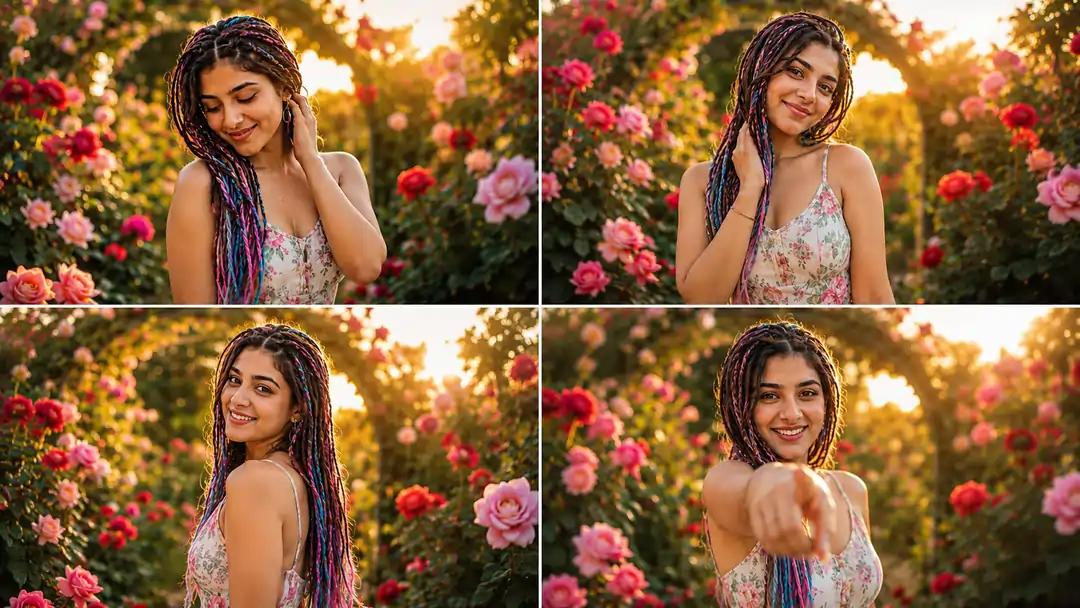
A beautiful young woman with long colorful braided hair, wearing a pastel floral summer dress, standing in a luxurious blooming rose garden during golden hour. Warm sunlight shines through the flowers and garden archway behind her. She smiles naturally, looks down shyly, gently touches her neck, then looks directly into the camera with a cheerful expression. Soft breeze moves her hair and dress. Colorful flowers surround her, cinematic depth of field, dreamy bokeh, ultra-realistic skin details, professional portrait videography, smooth camera movement, natural hand gestures, vibrant colors, 4K HDR, shallow depth of field, highly detailed, realistic lighting. At the end she playfully points toward the camera and laughs.
2. Magical Flower Garden Walk
Engineered specifically for a dynamic, motion-heavy aesthetic, this template focuses on smooth walking sequences, confident eye contact, and a creamy, blurred background to perfectly isolate the subject.
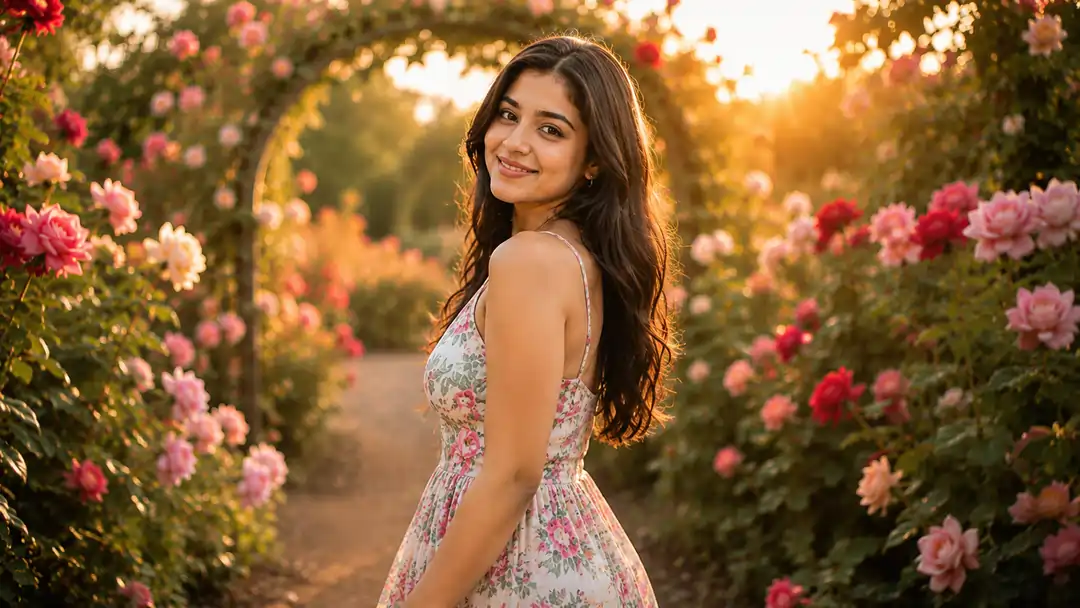
Gorgeous girl in a floral dress walking slowly through a magical flower garden filled with roses and colorful blossoms. Golden sunset light, soft cinematic glow, smiling confidently, making eye contact with the camera, gentle head movements, natural expressions, slow-motion moments, romantic aesthetic, luxury garden atmosphere, realistic facial details, ultra-realistic video, DSLR quality, creamy bokeh background, social media viral reel style, 4K.
3. Rainbow Braids Rose Garden Portrait
A highly intimate, close-up framing that prioritizes photorealistic skin textures and the interplay of sun rays filtering through the floral canopy. Ideal for vertical delivery.
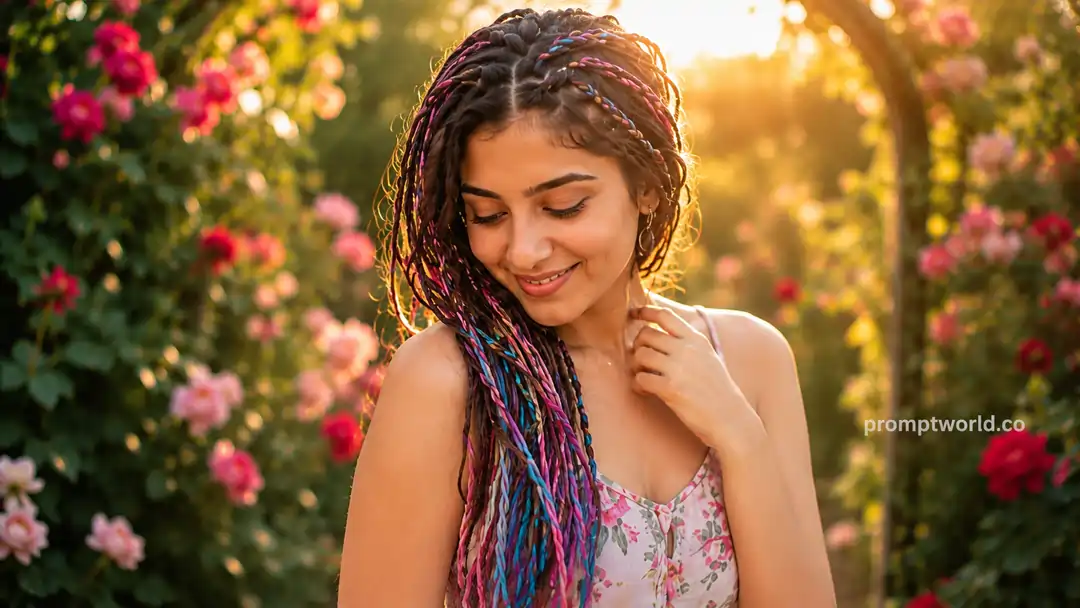
Close-up portrait video of a charming woman with rainbow braided hair and a floral dress in a blooming flower garden. Warm backlighting, sun rays through flowers, realistic skin texture, natural smile, subtle body movement, looking down then looking at camera, touching her necklace, cheerful expression, soft wind animation, handheld cinematic camera, shallow depth of field, vibrant flowers, photorealistic, high detail, smooth motion, 9:16 vertical video, 4K quality, ending with a playful finger point toward the viewer.
6. Frequently Asked Questions (FAQ)
How does an instagram viral prompt differ from a standard instruction?
Optimized templates explicitly dictate cinematic elements such as focal length, light physics, and temporal actions, ensuring the AI model does not rely on its generic, less appealing default parameters.
Can I use these templates for a trending couple format?
Yes. You can easily adapt the aesthetic of the Rose Garden by adding relational commands to create a gemini ai photo prompt copy paste trending couple template.
Why does my generated video have synthetic artifacts?
Synthetic artifacts occur when negative prompts are not utilized. Specifying what you do NOT want (like plastic skin or 3D renders) is just as important as describing what you do want.
What are the optimal Midjourney settings for floral art?
For the highest photorealism, append --style raw and --v 6.0 to your text input. This instructs Midjourney to prioritize raw photographic textures over illustrative embellishments.
Is it safe to copy paste these exact prompts?
Yes, utilizing a prompt copy paste method from our library ensures you capture the precise syntax required for the AI to understand the aesthetic. You can then modify variables like colors and subjects.
How do I ensure facial consistency across different generations?
Most modern AI engines require an image reference. You must combine our text templates with a clear, front-facing reference photo to anchor the character's identity.
7. Related AI Prompts
Romantic Date AI Prompts
Generate hyper-realistic couple photography and date scenarios.
Enhanced 3D Cartoon Portrait
Transform standard portraits into premium animation-studio quality 3D art.
Colorful Hindi Prompts
Create vibrant vector character portraits with localized Hindi instructions.
Semi-Cartoon Vector AI
Learn specialized methods to render clean, flat digital illustrations.