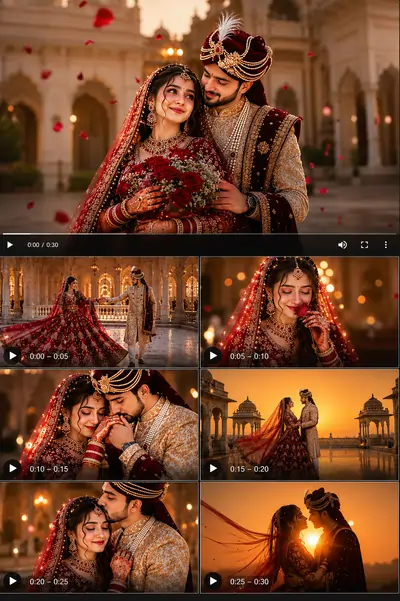
Mastering AI Video Generation: The New Frontier
We have officially moved beyond static imagery. The world of AI video generation is evolving at a breakneck pace with engines like Runway Gen-3 Alpha, OpenAI's Sora, and Luma Dream Machine leading the charge. However, transforming a simple text idea into a temporally consistent, physically accurate motion clip is an entirely different challenge compared to generating a single photograph.
If you tell an AI video generator to "make a video of a car driving," you will likely get morphing backgrounds, warped wheels, and physics that break the laws of gravity. AI video requires explicit direction regarding camera movement, subject pacing, and lighting shifts over time. When users try to build custom text instructions using a general chatgpt prompt for video concepts, they often miss out on the engine parameters needed to lock physics properly. This directory provides the syntactic frameworks you need to step into the director's chair.
The Core Pillars of Video Prompting
Creating professional-grade motion graphics or stock footage requires a multi-layered prompt. A successful video instruction generally follows a sequence that maps out framing, pacing, and environmental responses over a specific timeline. Instead of relying on a generic gemini prompt generator to build environmental descriptions, creators must learn to structure directives into four operational layers: framing parameters, kinetic pacing, surface illumination curves, and camera physics models.
| Video Generation Pillar | Technical Purpose | Recommended Camera Terminology |
|---|---|---|
| Cinematography & Framing | Establishes camera distance and physical scale constraints. | Macro close-up, anamorphic wide-angle, drone aerial shot |
| Kinetic Pacing Directives | Prevents unpredictable canvas warping and controls character movement speed. | Slow-motion fluid glide, high-speed hyper-lapse, subtle breathing sway |
| Surface Illumination | Defines how light adapts dynamically across moving physical geometries. | Volumetric light shafts, shifting ray-traced shadows, rim-lit background glow |
| Camera Physics Overrides | Bypasses default engine assumptions to force realistic camera optics simulation. | 35mm lens rendering, shallow depth of field tracking, dolly-out parallax |
Controlling Camera Movement Dynamically
The biggest mistake beginners make is letting the AI decide how the camera moves. You must command the virtual lens. Instead of generic phrases, utilize cinematic terms used on real movie sets to control spatial transformations seamlessly. Panning left or right forces the model to stitch historical frame data efficiently, while crane reveals expand environment bounds natively. When looking into advanced google gemini ai photo editing prompts to repurpose visual templates into fluid videos, adding structural terms like "dolly tracking shot" immediately anchors the generative window to realistic spatial scales.
The Frame Persistence Rule
To eliminate the automated "morphing look" common in bad AI clips, always describe camera adverbs in slow increments. Using "slow systematic camera pull-back" keeps the generation anchored, whereas terms like "fast transformation" confuse the optical flow system.
Managing Temporal Consistency via Image Inputs
Temporal consistency refers to the AI's ability to keep an object looking exactly the same from the first frame to the last frame without losing structural texture integrity. To protect characters or physical details from warping across generations, utilizing an Image-to-Video (I2V) workflow is heavily recommended. Generating a flawless base plate using your image engineering process and passing it as a first-frame seed allows motion engines to map vectors accurately, blocking unexpected mutations or artifacts over time.
Frequently Asked Questions
Which AI video generator is best for realistic motion?
Runway Gen-3 Alpha and OpenAI's Sora represent the pinnacle of realistic, temporally consistent motion. Luma Dream Machine is also an excellent, highly accessible alternative for rapid fluid dynamics.
How do I stop my AI video from morphing or glitching?
The best way to prevent morphing is to use Image-to-Video (I2V) workflows to lock the first frame, keep camera movements slow and deliberate, and avoid complex human physical changes in the description.
Can I use image-to-video (I2V) with these prompts?
Absolutely. It is highly recommended to generate a base image first in a tool like Midjourney and then use our tracking and panning prompts to command how that specific image should animate.